Your repair shop, managed.
Your data, in your shop.
OficinaOS is a free, open-source management system for phone repair shops. It runs on a computer inside your store — jobs, stock, POS and customer data never leave your local network.
Everything a repair shop needs
Built for the counter, the bench and the back office — in a single app.
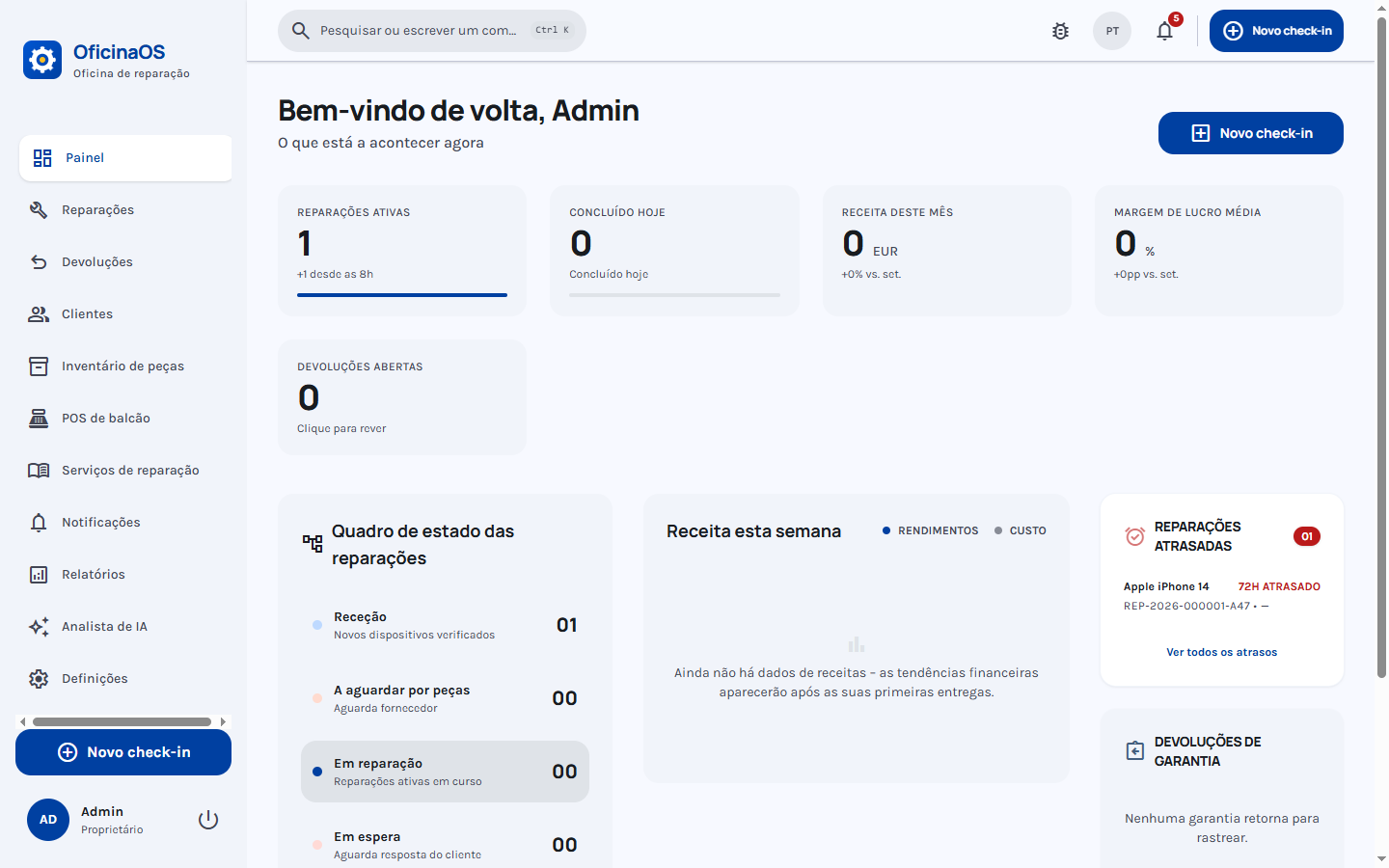
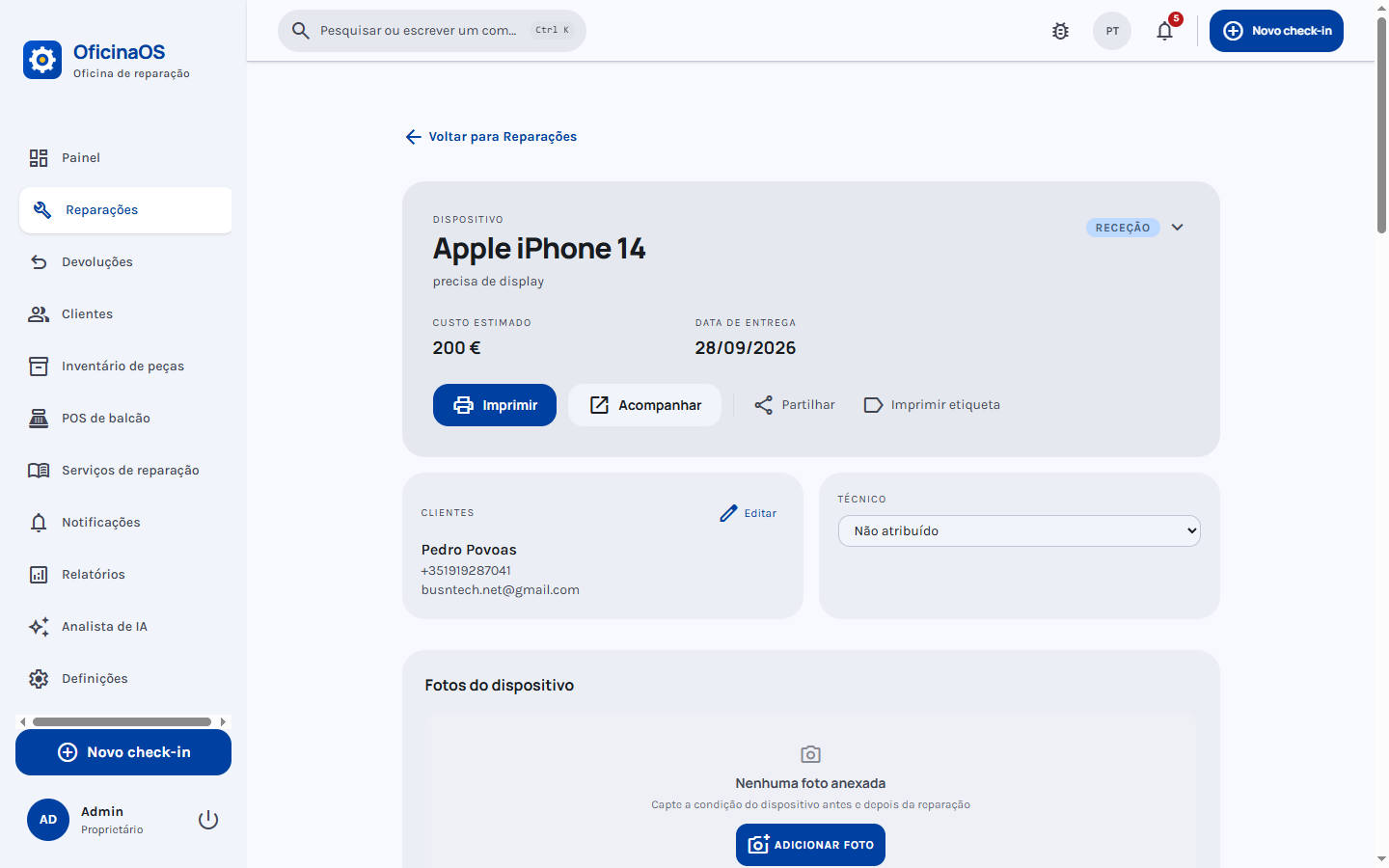
Repair job workflow
From intake to delivery: statuses, priorities, assigned technician, photos and a full timeline per job.
Point of sale
Sell parts and accessories over the counter, with cash sessions, receipts and payment tracking.
Stock & parts
Inventory with low-stock alerts, suppliers and parts linked to each repair.
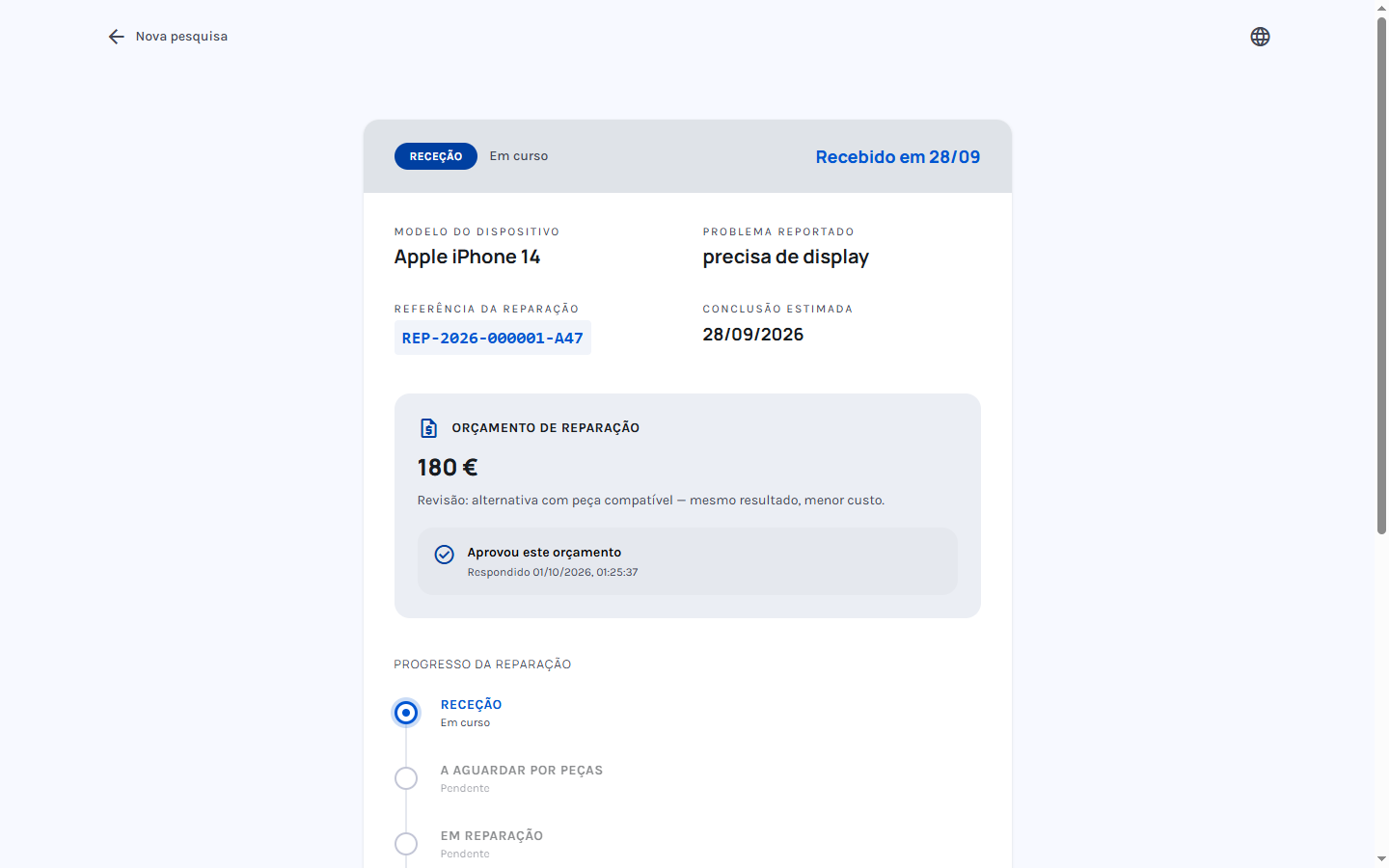
Customer tracking page
Customers check repair status from their phone with a code — no account, nothing to install.
Customer quote approval
Send quotes and let customers approve or decline right on the tracking page, with a timestamped record.
Notifications
In-app and WhatsApp notifications keep your team and your customers in the loop.
Multilingual interface
Available in European Portuguese, English, French and Spanish.
Android app
The same app on Android tablets at the counter — no separate codebase.
Backups
One-command local backups of the entire database — your data, your copies.
See it in action
Real screenshots from the app running in a shop.
OficinaOS Diag — cable diagnostics
Free Windows app that reads any Android or iPhone over USB: battery health, screen, sensors and storage.
I'm a customer
- Download, plug in your phone and check battery, screen and sensors — no account, no install.
- Test the screen and touch on the phone itself (colors and touch grid).
- Export the report as HTML/JSON — or send it to your repair shop with the code they gave you.
I run a repair shop
- Customers run the tool at home for free — and send the diagnostic with your shop code.
- The report lands in the app as a pre-check (Requests), ready to convert into a job — Pro module.
- With AI reports, the same diagnostic produces a plain-language summary to hand to the customer.
Windows 10/11 · free · no account. Android via USB debugging; iPhone via "Trust this computer".
Pro modules
Optional paid modules, in active development. The core stays free and MIT-licensed — forever.
Counter automation
Automatic WhatsApp status updates and digital receipts — fewer “is it ready?” calls.
Bench diagnostics
Cable-connected device diagnostics with AI-assisted reports.
Used-device certification
Battery cycles, lock status and grading for buy/sell/trade-in — A/B/C certificates.
Join the waitlist
Get notified when the Pro modules launch.
Follow on GitHubFollow the repo on GitHub — Pro module launches are announced as releases.
Your data stays in the shop.
OficinaOS runs on a PC inside the shop — no servers of ours, no account of ours, no telemetry.
Everything local by default
Customers, repairs, stock and till live on the shop's PC. Since we never touch the data, no processor agreement (Art. 28) with us is even needed.
No international transfers
By default nothing leaves the shop — unlike cloud systems, no customer data sits on third-party servers.
Optional extras, declared
WhatsApp, remote access and AI are opt-in — documented item by item, ready for your records of processing (Art. 30).
When you switch an optional module on, this is all that leaves:
- WhatsApp notifications Meta — Customer phone number + repair status
- Remote access & customer links Cloudflare — The pages' traffic in transit
- AI analyst Whichever provider you configure — The questions you ask the AI
See the full detail — including what never leaves — in the repository.
Running in minutes
One PC in the shop, Docker, one command. After install it works offline on your local network.
- 1
Get the code
Clone the repository or grab the installer from Releases.
- 2
Start with Docker
docker compose up -d brings up the app and database in containers.
- 3
Open in the browser
http://localhost:4000 on the PC — or its LAN IP from any device.
# get the code
$ git clone https://github.com/braindeadpt/OficinaOS.git
$ cd OficinaOS

# start with docker
$ docker compose up -d

# open in the browser
$ open http://localhost:4000